Chrome extension for safer, browser‑based LinkedIn outreach
Oneprofile, from Oneprofile, is a Chrome extension for sales professionals, recruiters, and growth marketers who need safer LinkedIn outreach. It connects an active browser session to the Oneprofile sales platform to schedule and automate profile visits, connection requests, and follow-up messages. The extension runs actions locally, uses cookie-based authentication and pacing controls, and syncs contact activity with CRMs so teams can centralize prospecting workflows without sharing passwords.
What does Oneprofile do for LinkedIn outreach?
The extension pairs one or more LinkedIn accounts with the Oneprofile dashboard to automate repetitive networking tasks that normally require manual steps. It can queue profile visits, personalized connection requests, and follow-up messages so teams can manage sequences from a single interface. This positioning targets B2B prospecting use cases, placing outreach scheduling and sequence management inside the browser-linked workflow rather than in a remote bot service.
How does Oneprofile protect accounts during automation?
Oneprofile emphasizes safety through its local execution model and authentication design. The tool uses existing browser cookies so users do not share LinkedIn passwords, and actions originate from the user’s own IP address. Safety controls include daily ceilings and randomized pacing to mimic human timing. Key safety elements are visible in the extension and reduce reliance on cloud-based credential handling.
How can users monitor tasks and replies in real time?
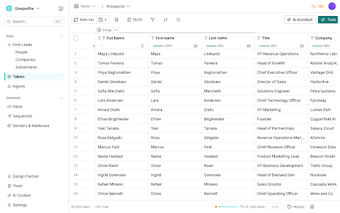
The extension shows a status bar inside the browser that reports connectivity and daily limit usage, and it exposes a queue management interface for upcoming steps and history. Replies from LinkedIn sequences arrive in a unified inbox on the platform, consolidating lead responses. These monitoring tools make it possible to review progress and adjust sequences from the browser-linked dashboard during an outreach campaign.
How does it fit into an existing sales tech stack?
Oneprofile synchronizes LinkedIn activity and contact data with existing CRMs and marketing tools to keep customer records aligned across systems. It supports Chrome and other Chromium-based browsers, and it targets teams that rely on CRM-driven prospect pipelines. Manual-first mode lets operators review automated steps before scaling, which helps teams integrate the extension into established outreach processes.
Suitable for CRM‑centric teams that accept a browser‑based workflow
Backed by a company focused on customer data platforms and sales automation, Oneprofile fits teams that organize outreach around centralized customer records. A practical setup approach is to run a short pilot, map CRM fields before enabling sync, and assign dedicated browser profiles per operator. In short, Oneprofile is a pragmatic option for sales and recruiting teams wanting controlled, in-house LinkedIn automation, with an initial setup trade-off to manage.